
Shaharyar Javed Ranjah
@shaharyarranjah1🚀 Add Image as Background in Python Using Matplotlib 🐍 Learn how to combine images with data visualization…
🚀 Add Image as Background in Python Using Matplotlib 🐍
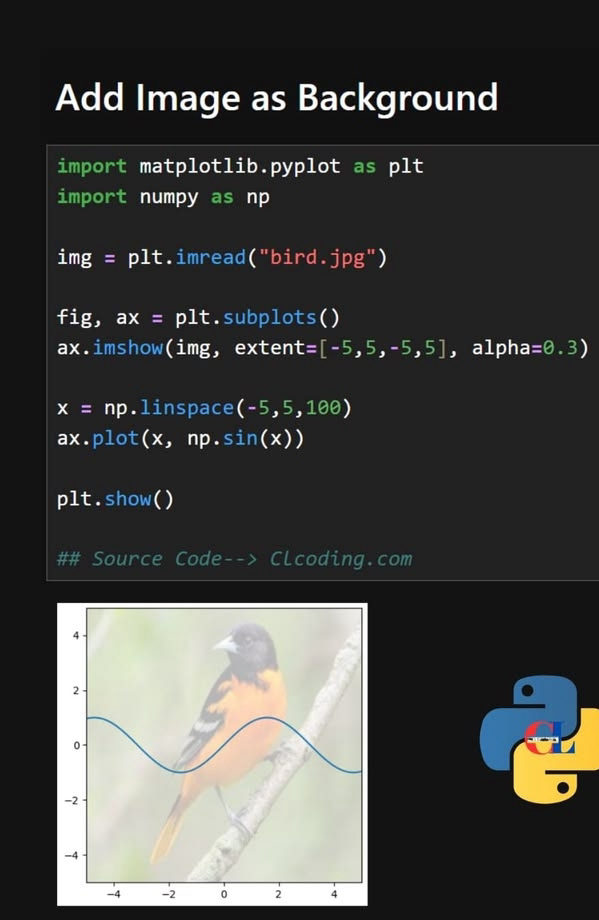
Learn how to combine images with data visualization using Python. This project demonstrates how to load an image as a background and create a graph overlay using powerful libraries like Matplotlib and NumPy.
In this example: ✅ Load an image using plt.imread()
✅ Display images with imshow()
✅ Control transparency using alpha values
✅ Create mathematical plots using NumPy
✅ Combine image processing with data visualization
Python makes it easy to build creative visualizations by mixing images, graphs, and scientific computing. This technique is useful in data science, computer vision, image analysis, and machine learning projects.
Libraries used: 🐍 Python
📊 Matplotlib
🔢 NumPy
Save this post for future Python projects and keep learning programming step by step.
Follow for more: Python | AI | Machine Learning | Data Science | Coding Projects
#Python #PythonProgramming #PythonProjects #DataScience #MachineLearning #ArtificialIntelligence #AI #NumPy #Matplotlib #ComputerVision #DataVisualization #Coding #Programming #Developer #SoftwareEngineer #LearnPython #100DaysOfCode #CodeNewbie #TechCommunity #CodingLife #ShaharyarRanjah #shaharyarranjah1